
Run the gym from your phone.
Use the mobile app for members, payments, QR and manual attendance, leads, workout plans and reports.
See the mobile appGym Ledger is gym management software that brings memberships, payment records, renewals, attendance, leads and reports into one system. Work from your phone, with a web dashboard on Max.
10-day Pro trial · No credit card required Browse all features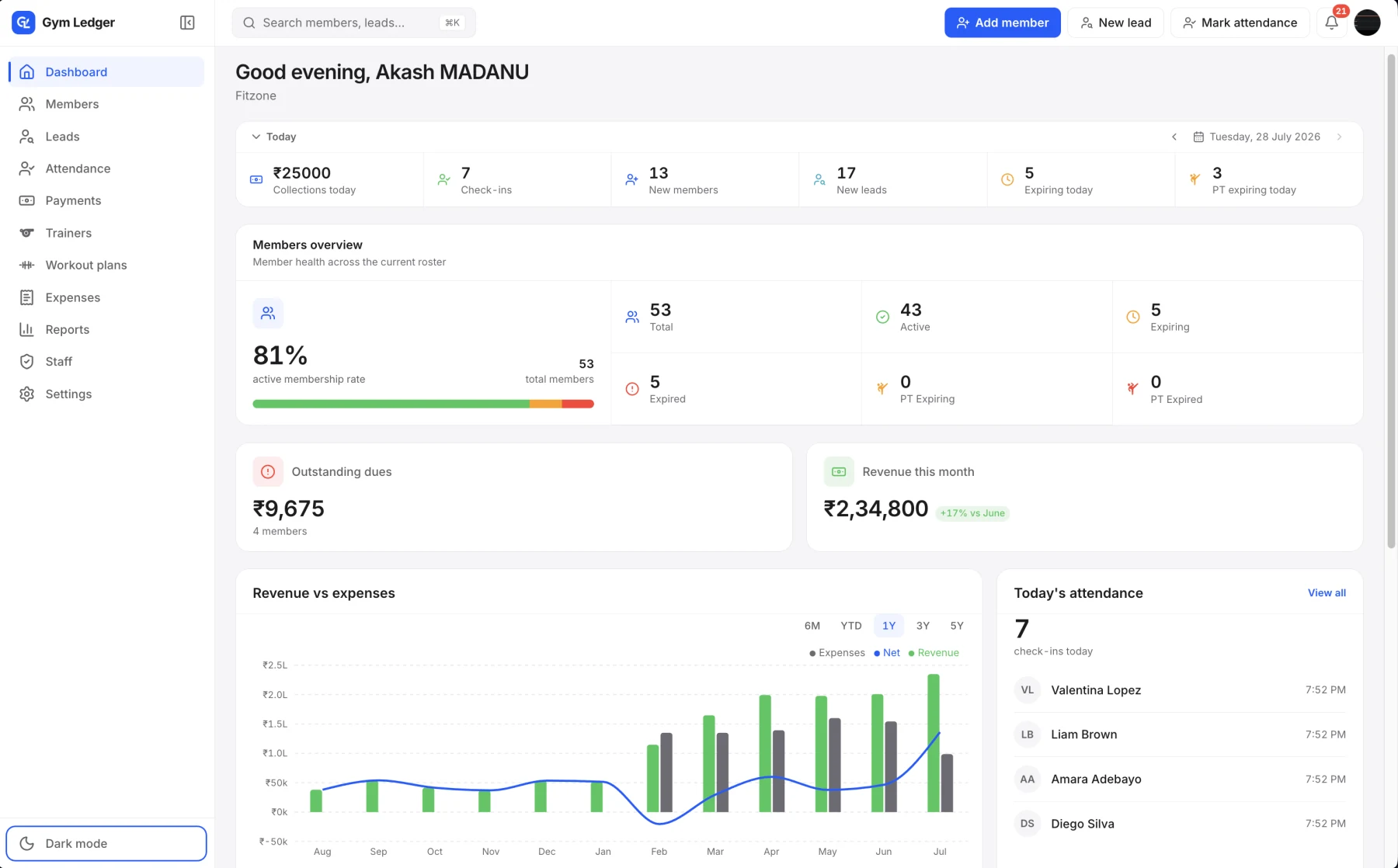
Keep the member, the payment and the visit connected, so your team has the context to act.
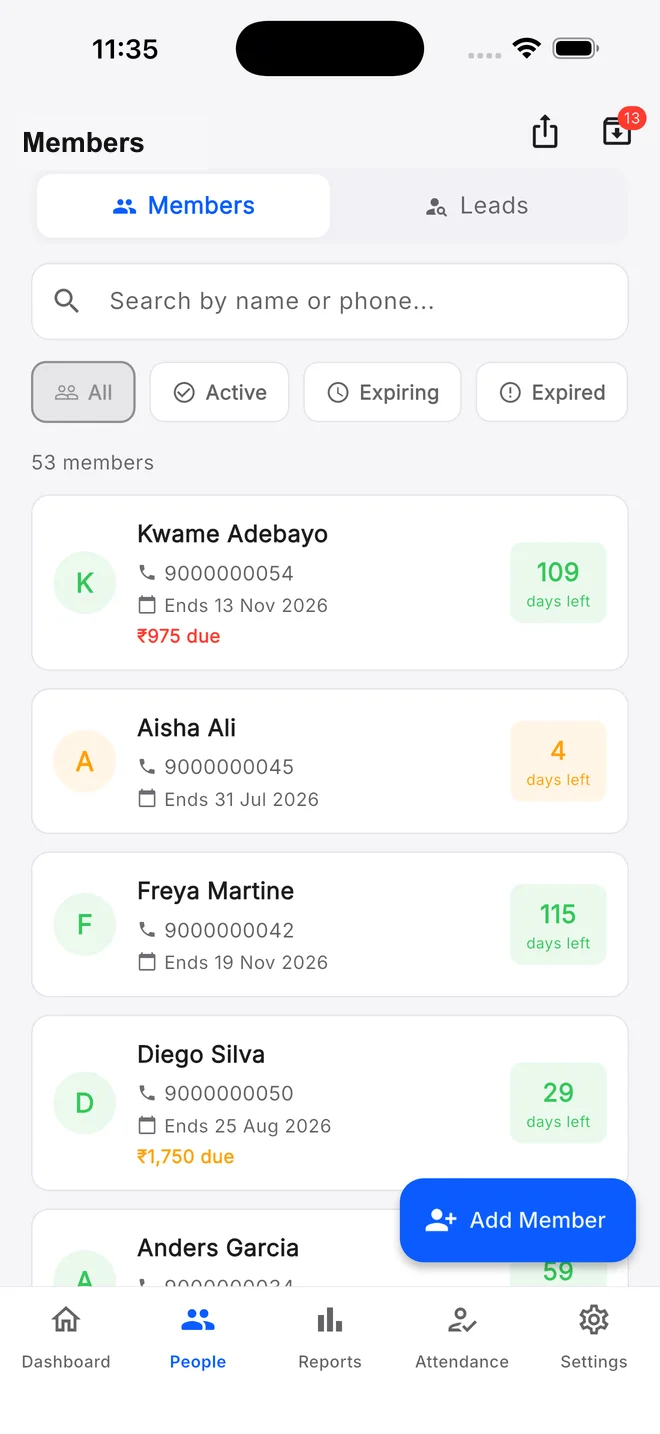
Open the member list to review memberships, expiry dates and pending balances before the next follow-up.
Member managementRecord the cash, UPI, card or bank-transfer payments you collect. Keep partial payments and outstanding dues with the member record.
Payments and duesUse QR or manual check-in, then review attendance and visit patterns. Max also supports biometric attendance on compatible hardware.
Attendance trackingFollow collections, membership trends and attendance reports when it is time to review how the gym is doing.
Reports and analyticsUse the mobile app for members, payments, QR and manual attendance, leads, workout plans and reports.
See the mobile appGet Pro plus the web dashboard and biometric attendance support. Confirm your exact device and setup with us.
Check biometric supportGym Ledger records payments you collect; it does not process member payments in the app. An internet connection is required to save changes.
Create your gym, set up memberships and add members. Invite staff with the access they need, then work through your first payment, check-in and renewal.
Walk through it with usStill deciding? Contact Us at +91 93920 47515.
It should keep the member record connected to memberships, payment history, pending balances, attendance and follow-ups. It should also make those records usable by the right staff and exportable when you need them.
Yes. Owners and approved staff can use the mobile app, and the Max plan adds the web dashboard for a front desk or office computer. Permissions control what each staff member can view or manage.
No. Gym Ledger records cash, card, bank-transfer and UPI payments, including partial payments and pending balances, but it does not collect or process money from members inside the app.
No. A Gym Ledger workspace manages one gym. It does not currently provide consolidated member, revenue or attendance management across multiple branches.
It does not calculate profit for you, it does not take payments from members inside the app, it does not run class booking or scheduling, and it needs an internet connection to save changes. If those are dealbreakers, a larger platform will suit you better.
Explore the mobile app with a 10-day Pro trial, or ask us to walk through your daily work.