
Membership information
Members can review the membership information associated with their gym account. Staff keep the underlying agreement and dates up to date.
MEMBER APP
The Gym Ledger member app brings membership information, visits, receipts and assigned workouts into a personal mobile experience linked to the gym.
See how it works ↓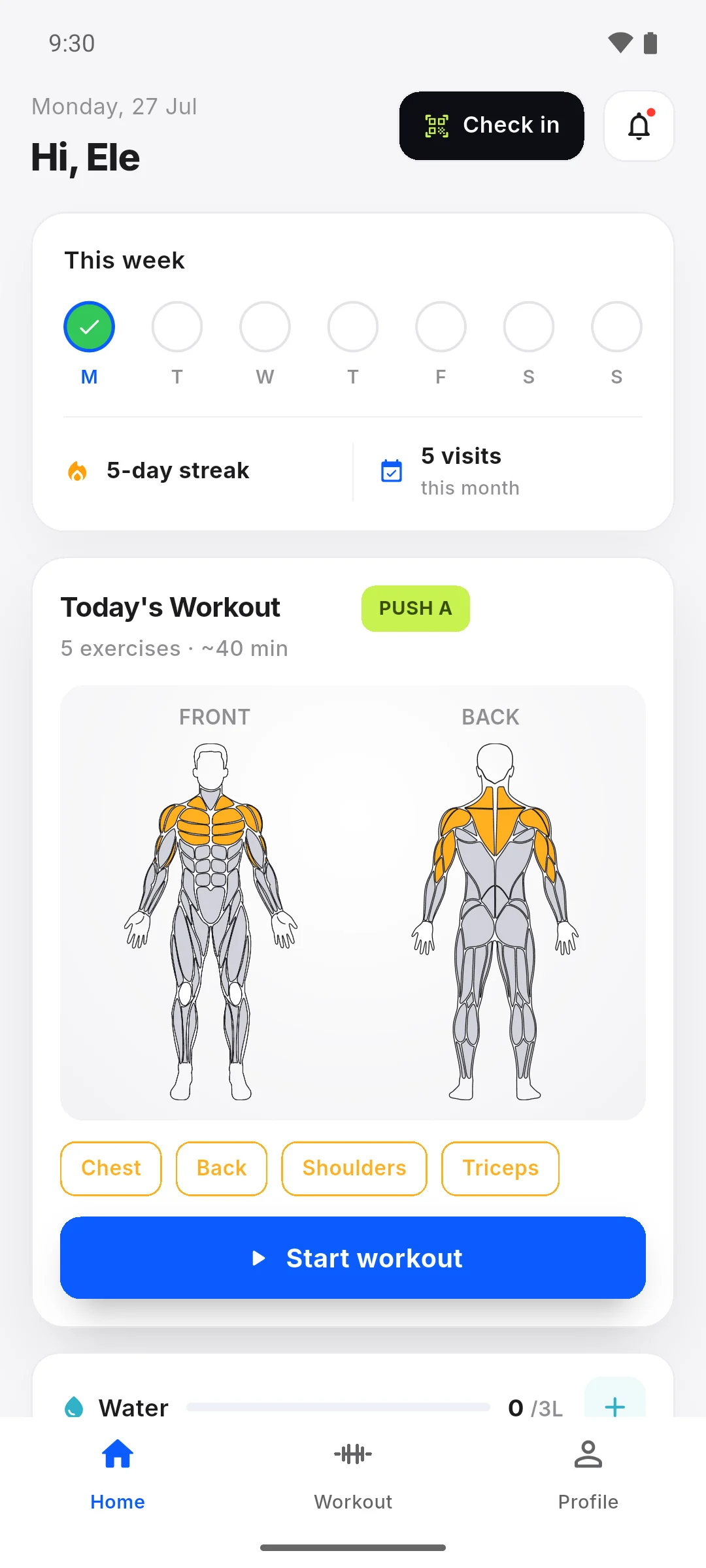
Members should be able to check their own information without asking the front desk to resend it every time. The member experience connects to the gym’s records, while membership changes and payment recording remain gym workflows. Help the member use the correct gym connection before relying on what appears in their account.
Members can review the membership information associated with their gym account. Staff keep the underlying agreement and dates up to date.
Members can use the QR check-in flow and see their visit activity. Staff attendance marking remains an alternative when needed.
Members can review their own recorded payments and available receipts. Seeing a receipt does not mean the app processes the transfer.
When workouts are enabled by the gym, members can follow the plan assigned to them and use the workout experience on their phone.
Help the member sign in with the correct account and gym connection.
Confirm the membership shown belongs to them and explain how to find visits and receipts.
Show QR check-in and, when enabled, the assigned workout before the member trains independently.
Instead of asking the receptionist to search a message thread, the member opens their payment records. On their next visit they can use the gym QR check-in and open the workout their gym has assigned, where workouts are enabled.
Members need the mobile app and a valid gym connection. Workout access depends on the gym’s workout setting and assignment. Members do not pay membership fees inside Gym Ledger.
Still deciding? Contact Us at +91 93920 47515.
No. The member experience shows payment records and receipts. The gym collects payment through its usual method and records it in Gym Ledger.
Yes. A connected member can use the gym’s QR check-in flow in the app. Staff can mark attendance when a member cannot use it.
Workout availability depends on the gym enabling workouts and assigning a plan. A member account alone does not create a personalised training plan.
Explore the mobile app with a 10-day Pro trial, or ask us to walk through your daily work.