The best gym management software for your gym depends on what you need it to handle. An owner tracking memberships, cash and UPI payment records has different requirements from a studio selling class places or a chain sharing member access across branches.
Gym Ledger brings member records, payment history, dues, renewals and attendance into one gym workspace. Owners and approved staff can work from Android or iPhone; Max adds a web dashboard for the front desk. For a gym moving away from registers and disconnected payment notes, these connected records are a practical reason to try it.
Who wrote this: This guide is published by Gym Ledger. It explains our product and gives you questions to use when evaluating other software. It is not an independent ranking or a claim that every other product lacks these capabilities. Product information was reviewed on 28 September 2026.
Gym Ledger and other software: what to compare
Start with the work your team does every day. The middle column explains what Gym Ledger offers. The final column is a checklist for other software, not a statement about an unnamed competitor’s features.
On a smaller screen, scroll the comparison sideways to read all three columns.
| What matters | What Gym Ledger offers | What to check in other software |
|---|---|---|
| Payments and dues | Record cash, UPI, card and bank-transfer payments you collect. Keep partial payments and the remaining balance against the member. Explore payments and dues. | Can staff record an instalment, find the balance and explain the payment history? Does the product record payments, process them, or both? |
| Membership renewals | Review membership dates and dues, then record the next plan and payment details in the member's record. Explore renewal tracking. | Can you find expiring members and distinguish a reminder from a completed renewal? Ask to see the saved dates and balance. |
| Phone and front desk | Pro provides the mobile app on Android and iPhone. Max adds the web dashboard. Check current INR plans and trial terms. | Which devices and staff workflows does the quoted plan include? Check the billing period, taxes and any additional charges. |
| Attendance | Use member QR check-in or authorised staff marking. Max supports compatible biometric attendance, subject to device and setup checks. Explore attendance options. | Can a member without a phone still be marked present? If hardware is needed, verify the exact model and installation costs. |
| Moving existing records | Assisted migration starts with a review of supported fields, missing information and opening balances. Scope, timing and any charges are agreed after review. | Which fields and historical records will move? How will you check duplicates, dates and balances before switching? |
Gym Ledger does members, payments, renewals, attendance, leads and reports, and it does those for an Indian independent gym better than the all-in-one platforms that also want to be your class booking engine and your marketing suite. Verify the workflows that matter to your gym during the trial.
When Gym Ledger belongs on your shortlist
Consider Gym Ledger when the daily questions are: whose membership is expiring, who still owes money, what payments were recorded, and who attended. Owners and approved staff use the mobile app; Max adds the web dashboard for a front desk or office computer.
Gym Ledger records money you collect. Recording a member’s UPI transfer is different from initiating a UPI payment, processing a card or automatically debiting a bank account. Check the payments and dues workflow against the way your gym actually collects money.
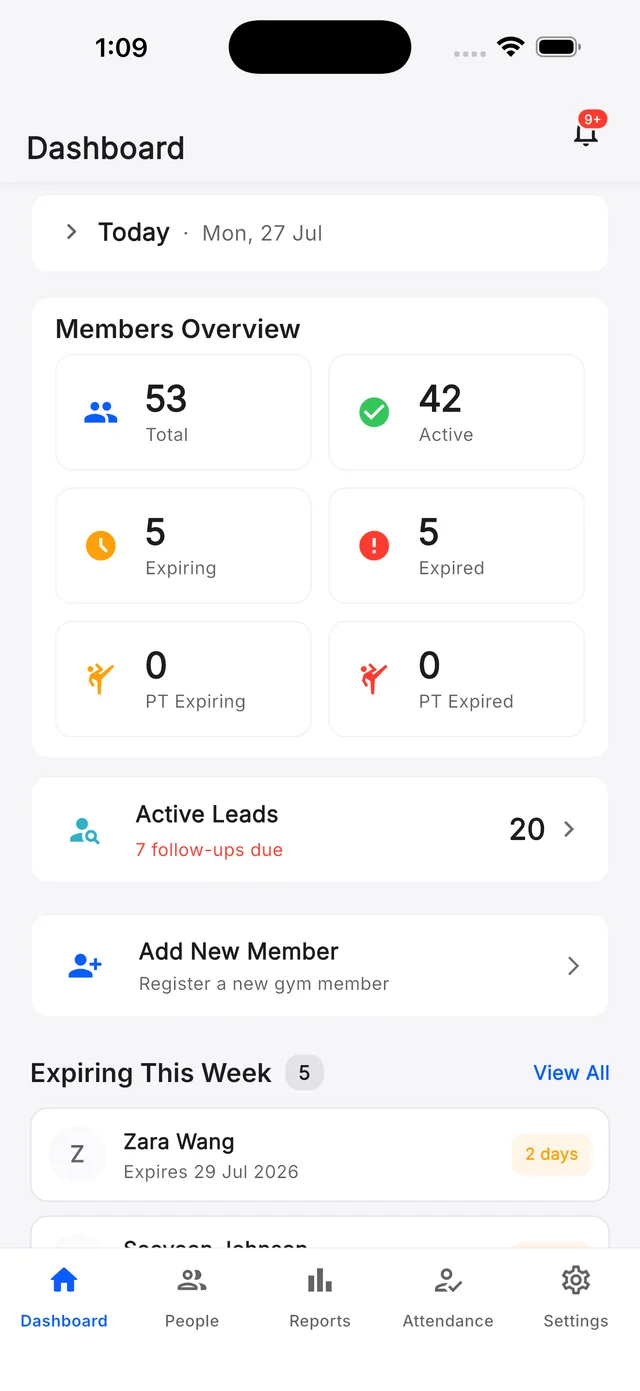
Classes: Gym Ledger supports fixed class batches, schedules, member assignments and class attendance.
Where it may not fit: Gym Ledger does not provide member self-booking or waitlists, or member payment processing. Saving changes requires an internet connection. Biometric attendance support depends on the device and setup; confirm your exact model and firmware before buying hardware. Review the software overview and limitations before choosing a plan.
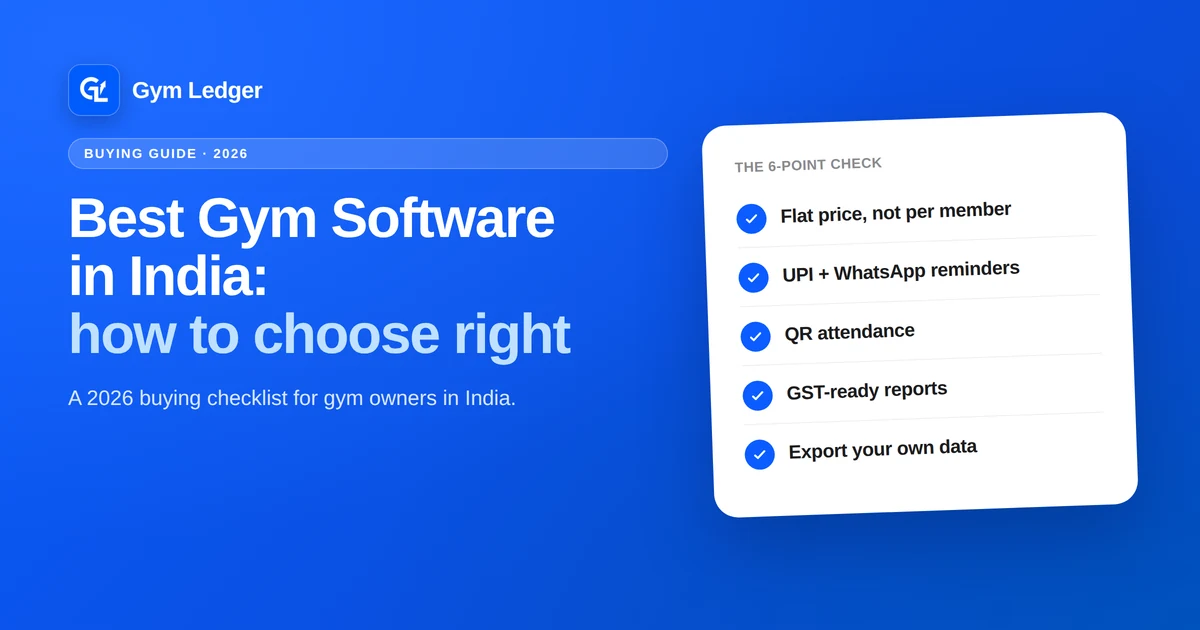
Gym Ledger records UPI, cash and partial payments against the right member, shows your expiring plans and pending dues the second you open it, sends renewal reminders over WhatsApp, runs QR attendance, exports everything to Excel and PDF, and gives you a full month free with no card. See the plans and start your free month.
How to compare total cost fairly
Ask each vendor to quote the same scenario: your active-member count, number of locations, staff accounts, required devices and monthly messaging or payment volume. Then ask what changes if the gym grows.
Use this worksheet:
First-year cost = subscription + setup/migration + hardware/installation + expected usage charges + applicable taxes.
Ask whether any item is already included before adding it again. Keep USD quotes in USD until you choose and date an exchange-rate assumption. Record recurring charges separately from one-time costs, and annual commitments separately from monthly billing.
A plan that increases with member count is not automatically poor value. Compare the included work, support and total cost at your expected size. Similarly, a low subscription price tells you little if a required function needs another service. The gym software cost guide provides more questions for building a complete budget.
Run the same practical trial in every product
Use synthetic records first. The following example is a test you can perform, not a measured customer result or a claim that every product passes.
1. Record a partial payment
Create a sample member with a total membership charge of ₹3,000. Record ₹1,000 as cash and ₹500 as UPI. With no other charges, discounts or previous debt, the expected remaining balance is ₹1,500. Check that the member record, payment history and receipt agree.
Ask staff to find that balance without help. If you need online collection as well as record keeping, test the supported payment provider separately. Do not count a manually recorded payment as proof of automated collection.
2. Review expiry and attendance
Create a sample plan with known start and expiry dates. Find it in the renewal workflow, check the displayed validity, and perform an attendance entry using the method you intend to use. For biometric or door access, ask for a demonstration with the exact supported equipment. An attendance record alone does not prove a door lock is controlled.
3. Check what a staff member can do
Use a staff account with the permissions you plan to allow. Test viewing a balance, recording attendance and opening a financial report. Verify restricted actions with that account instead of assuming that hiding a menu is sufficient.
4. Export and reconcile the records
Download the exports you actually need. Compare member identifiers, plan dates, payment methods, totals and outstanding balances with the synthetic records. Check which data is omitted and how it can be retrieved before deciding the export is sufficient.
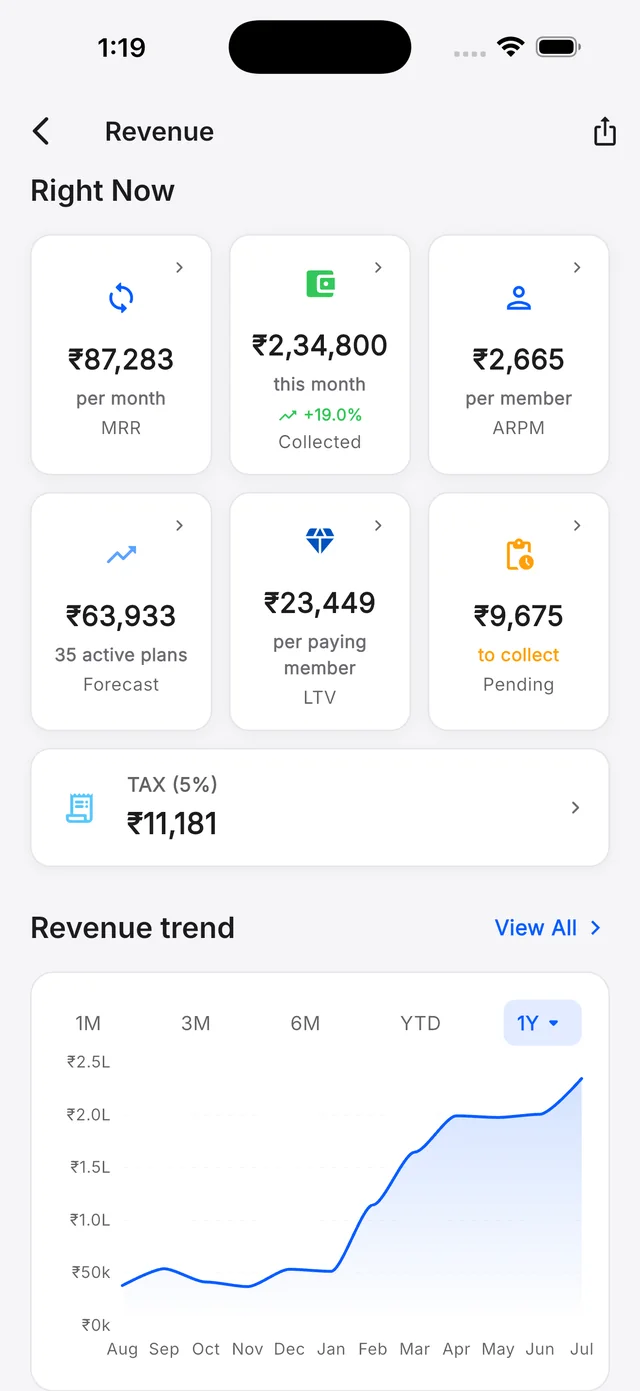
Have your accountant review tax-related fields and reporting requirements. A software report is not, by itself, proof that a filing is complete or correct.
Record the results in the free gym software evaluation scorecard. Mark each requirement as demonstrated, missing or still unverified. The platform comparison guide explains how to weight those results without letting an average score hide a missing essential feature.
Choose on fit, then verify the terms
For a gym that needs member records, dues, renewals and attendance, start by checking Gym Ledger’s supported workflows. Gym Ledger also supports fixed class schedules and attendance. If member self-booking or waitlists are essential, include those requirements in your evaluation; Gym Ledger does not currently provide them.
Before moving real records, confirm the plan, total cost, data export, support arrangements and migration scope in writing. If you are considering Gym Ledger, review the current plans and assisted data migration process. Choose the product that passes the requirements your gym actually has.
Sources and review scope
- Gym Ledger software overview and current plans: supported workflows, exclusions and plan terms.
- Payments and dues, membership renewals and attendance: the connected workflows described here.
- Assisted data migration: supported records, preparation and verification before switching.
Product information was reviewed on 28 September 2026. Prices and capabilities can change. The questions about other software are evaluation criteria, not verified claims about its performance, price or limitations.