The dashboard says revenue is up. The bank balance says otherwise. One of them may be wrong, or they may simply be answering different questions.
Gym management software can produce reports for collections, revenue, pending dues, membership status, renewals, attendance, leads, trainers, expenses, and taxes, depending on the product. The useful report is not the one with the most charts. It is the one whose definition you understand and whose underlying records you can inspect.
The short answer: Start with five views: money collected, money still due, memberships changing, members attending, and follow-ups pending. Add more reports only when each one supports a real decision.
This guide explains the main gym management software reports, what each number means, and the questions to ask before trusting a dashboard.
Dashboard, report, and export are not the same thing
These terms are often mixed together:
- A dashboard is a quick view of current information, usually designed for daily use.
- A report organizes records for a period, category, or business question.
- An export produces a file such as Excel or PDF that you can review or share outside the software.
A good system may offer all three. A dashboard tells you what needs attention now. A report lets you investigate. An export gives you a portable copy for an accountant, manager, or your own records.
The nine reports a gym owner should understand
1. Collections report
The collections report answers: How much money did the gym actually record as received during this period?
It should let you filter by date and payment method, then open the transactions behind the total. Cash, UPI, card, and bank transfer should remain distinguishable because the total needs to reconcile with real payment records.
Collections are not the same as revenue earned. A yearly membership paid today creates a large collection today, even though the service continues for months.
2. Revenue report
A revenue report attempts to show the value associated with memberships or services during a period. Its definition varies across products, especially when plans are prepaid, frozen, refunded, or partially paid.
Before using the number, ask the vendor:
- Is revenue based on payment date or service period?
- How are discounts, refunds, and freezes handled?
- Are personal training and other services separated?
- Can I open the records behind the total?
If the definition is unclear, call the figure what it truly is. Do not present collections as profit or cash in the bank.
3. Pending dues report
This report shows members with an unpaid or partially paid balance. It should include the member, amount due, due date, plan, and payment history.
The action is straightforward: resolve wrong records first, then follow up on genuine balances. A large dues total is not useful when staff cannot see how it was calculated.
4. Membership status report
The membership report separates active, expiring, expired, frozen, and archived members. It answers both an operational question and a trend question:
- Who needs attention today?
- Is the active member base growing, flat, or shrinking?
The categories must be mutually understandable. A frozen member should not unexpectedly appear as expired, and an archived member should not inflate the active total.
5. Renewal and retention report
A renewal report compares members eligible to renew with members who renewed. A retention report may also include cancellations, freezes, reactivations, and churn.
Always inspect the denominator. A “90 percent renewal rate” means little until you know who counted as eligible and which date determined the period. Use the same definition every month before comparing performance.
6. Attendance report
Attendance reports can show daily visits, member visit history, average visits, inactive members, and peak hours. These views help with follow-up and staffing, but only when check-ins are recorded consistently.
If half the members bypass the register or QR code, the chart is measuring check-in behavior rather than gym usage. Fix collection quality before making decisions from the trend.
7. Lead report
A lead report should show enquiry source, current stage, next follow-up, trial status, conversion, and lost reason. Its job is to reveal where promising enquiries stop moving.
Do not celebrate a high lead count if most records have no next action. For a small gym, a short list of clear follow-ups is usually more valuable than a complicated funnel chart.
8. Trainer and personal training report
For gyms selling personal training, the report may include assigned members, packages sold, sessions completed, trainer revenue, and commission payable. The source records should be visible to both owner and trainer according to their permissions.
Session counts need a clear rule. A cancelled appointment, complimentary session, and completed paid session should not all become the same number. Our guide to managing personal training explains the operational record behind the report.
9. Expense and tax report
Expense reports group recorded costs by category and period. Tax reports organize taxable collections and invoice information for review.
These reports support accounting, but software should not imply that a simple subtraction equals statutory profit or a completed tax filing. Your accountant still needs the full business context and the correct legal treatment.
Which reports should you check daily, weekly, and monthly?
Daily
- Collections received today
- Payments still due
- Memberships expiring soon
- Lead follow-ups due
- Members who recently stopped attending
Weekly
- New members and renewals
- Attendance changes
- Leads added, followed up, and converted
- Personal training sessions and unresolved balances
- Records that need correction
Monthly
- Collections by payment method
- Revenue trend using one consistent definition
- Expenses by category
- Active member movement
- Renewal and retention rate
- Attendance and peak hours
- Trainer revenue and payable amounts
- GST or tax summary for accountant review
The schedule is intentionally small. If every report is checked every day, none receives enough attention to produce an action.
Five questions to ask before trusting a report
- What exact records feed this number? You should be able to trace a total to transactions or members.
- What date rule is being used? Payment date, invoice date, membership start, and service period produce different results.
- How are corrections handled? Edits, refunds, deletions, and freezes must not silently distort history.
- Can I filter and export it? A fixed screenshot is not a usable business record.
- Who can see it? Financial and staff reports should follow explicit permissions, not one shared login.
A decision-first report checklist
Use this table before asking for another chart.
| Business question | Report needed | Possible next action |
|---|---|---|
| What did we receive? | Collections by date and method | Reconcile cash, UPI, card, and bank records |
| Who still owes us? | Pending dues | Correct the record or contact the member |
| Who may not renew? | Expiring plus attendance context | Assign a personal follow-up |
| Are active members growing? | Membership movement | Investigate joins, renewals, freezes, and exits |
| Which leads need work? | Next follow-up and stage | Call, schedule a trial, or close the record |
| When is the gym busiest? | Attendance by day and hour | Adjust staffing or member communication |
| What should the accountant review? | Collections, expenses, GST, and exports | Share a clean file with source records |
What Gym Ledger reports and what it does not
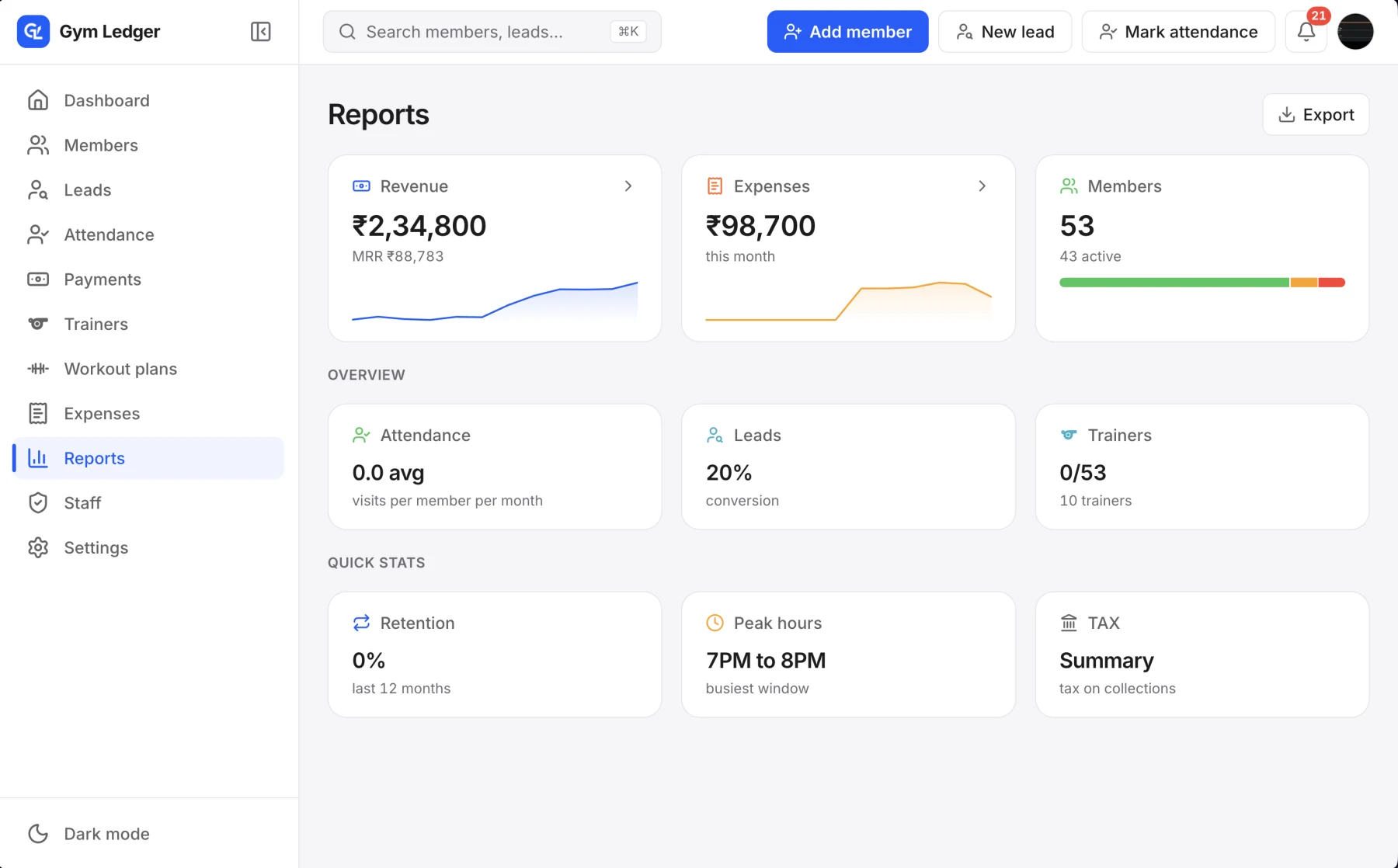
Gym Ledger reports collections, revenue trends, payment methods, pending dues, GST, membership status, attendance, peak hours, leads, trainer performance, and retention measures. Reports can be exported to Excel or PDF, and financial report access is a separate staff permission.
It deliberately does not present a profit figure. It tracks recorded expenses by category, but true profit depends on business information and accounting treatment the app may not know. That limitation is safer than displaying a confident number built from incomplete inputs.
Explore the current reports and revenue analytics features, or read how to tell whether your gym is making money before choosing the monthly numbers you will review.
Frequently asked questions
What reports can gym management software generate?
Gym management software can generate collections, revenue, pending dues, membership status, renewal, retention, attendance, lead, trainer, expense, and tax reports. The exact set and definitions vary by product, so owners should verify the records behind each total.
What is the most important report for a gym owner?
There is no single report for every decision. For daily control, start with money collected, money still due, memberships expiring, members who stopped attending, and lead follow-ups that need action.
Is gym revenue the same as gym collections?
No. Collections are payments recorded as received during a period. Revenue may be recognized according to when a membership or service is delivered, so a prepaid yearly membership can affect the two figures differently.
Should gym reports export to Excel or PDF?
Yes. Exportable reports let the owner inspect, archive, and share information with an accountant or manager without depending on a screenshot or permanent access to the software.