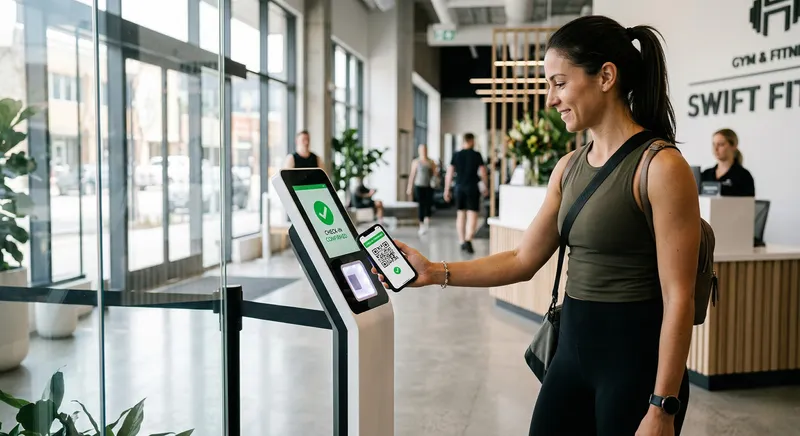
A QR code can be printed in one minute. A reliable gym check-in system still has to identify the member, verify the membership, prevent accidental duplicates, preserve the time, support staff fallback, and produce reports.
Create the gym check-in code inside the attendance system, place it where staff can supervise entry, require each member to use an authenticated account, configure duplicate and eligibility checks, keep a staff fallback, and test the complete record and report flow. The poster is only one component.
Step 1: Decide what the scan means
Write the expected result: “An authenticated member at this gym creates one attendance record for the current local date and time if the membership is eligible.”
Decide whether the system checks active dates, freeze status, cooldown, branch, and previous check-in. Do not let staff discover these rules from inconsistent results.
Step 2: Create a location-specific code
Use a code generated by the attendance platform, not a plain text form or public spreadsheet. For multiple entrances or branches, use distinct identities so reports and investigations know where the event occurred.
Choose between:
- Static supervised code for simplicity
- Rotating code for stronger resistance to old photos
- Device-bound or geofenced flows where justified
Extra controls increase friction. Add them in response to a measured problem.
Step 3: Place and protect the poster
Position the code:
- Inside the controlled entrance
- At comfortable scanning height
- Under stable lighting
- Away from glare and damage
- Where staff can notice unusual use
- With a short instruction and fallback route
Do not post the live code publicly on social media.
Step 4: Enrol members correctly
The phone scanning the code should belong to an authenticated member account linked to the correct gym record. Test duplicate names, changed phone numbers, archived records, and members with no portal access.
Never ask members to share one gym account or common PIN.
Step 5: Configure duplicate handling
A second scan may be an accident, a re-entry, or abuse. Decide whether the system ignores a duplicate, records a second event, or applies a cooldown.
The owner should understand the rule. A silent block with no explanation creates front-desk confusion.
Step 6: Keep a staff fallback
Members forget phones, batteries die, links fail, and accessibility needs vary. Staff should be able to mark attendance manually with the same member, time, gym, and actor trail.
The fallback should require an individual staff account and the appropriate permission, not the owner’s shared password.
Step 7: Test the edge cases
| Test | Expected proof |
|---|---|
| Active member scans | One correct record |
| Immediate second scan | Documented duplicate behavior |
| Frozen member scans | Policy-consistent result |
| Expired member scans | Clear refusal or staff review path |
| Wrong gym account scans | No cross-gym record |
| Member has no phone | Staff fallback works |
| Network drops | Honest error and recovery behavior |
| Device clock is wrong | Server or trusted time remains correct |
Step 8: Turn check-ins into action
Review today’s count, peak times, member history, and meaningful attendance drop. Do not use attendance as a public leaderboard or assume absence reveals motivation.
Compare a member with their own normal pattern. A useful inactive-member workflow begins before expiry and with a supportive question.
Privacy and security basics
Explain what the check-in records, why, who can see it, and how long it is kept. Restrict staff access and protect exports. Attendance reveals habits and should not be treated as harmless public information.
Gym Ledger includes QR and permission-controlled manual attendance in the same member record. Use the attendance feature guide for the product flow and QR versus biometric attendance for the buying decision.
Frequently asked questions
How do I set up QR code attendance for a gym?
Create the gym check-in code inside the attendance system, place it where staff can supervise entry, require each member to use an authenticated account, configure duplicate and eligibility checks, keep a staff fallback, and test the complete record and report flow.
Can members share a gym QR code?
A static location code can be photographed, so the system should also validate the signed-in member, membership eligibility, timing, duplicate check-ins, and suspicious patterns. Staff presence and a rotating code can add control where needed.
What happens if a member forgets their phone?
Staff should have a permission-controlled manual check-in path that creates the same attendance record with the person who marked it. The fallback should not require sharing the owner login.